Field and value mapping
After choosing the destination category, Mercado Livre reports the required information. Connector lets you choose where each value comes from.
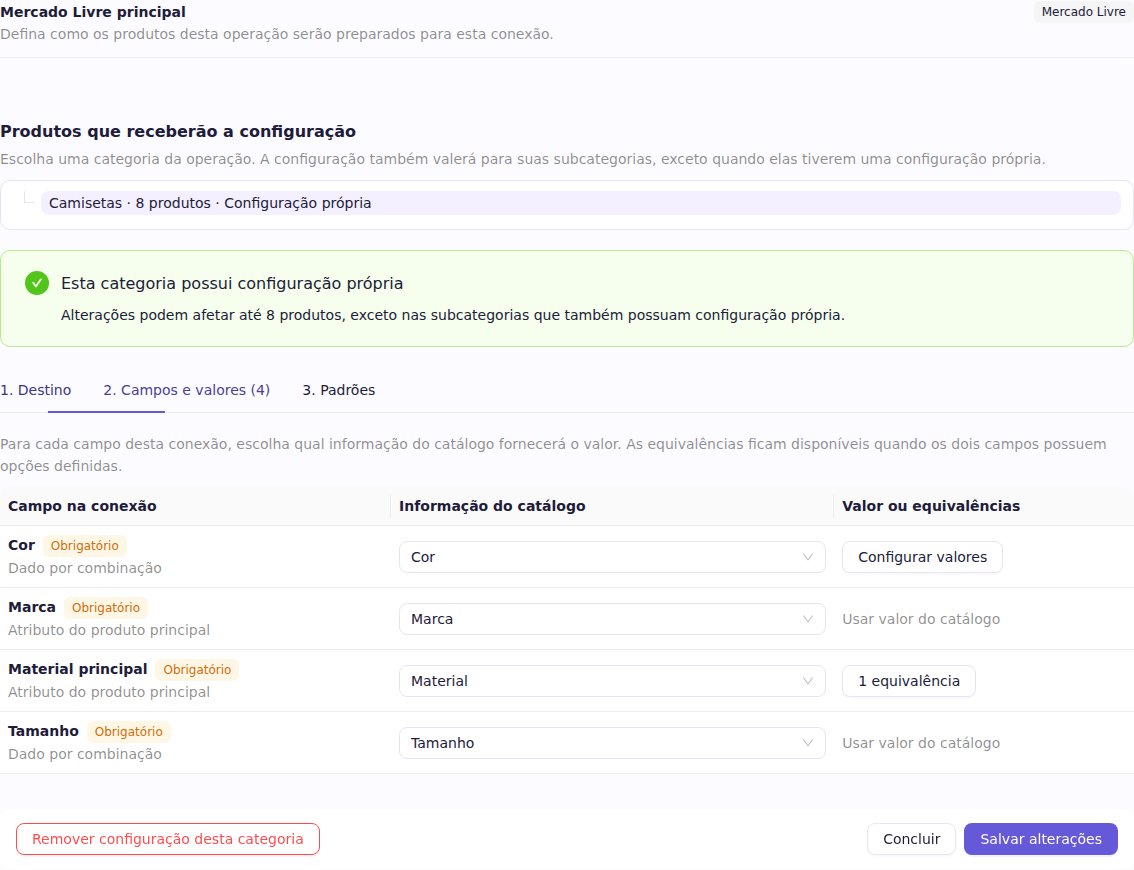
In 2. Fields and values, choose:
- Use catalog information to follow the product or variant value;
- Use a fixed value to apply the same answer to every product covered by the configuration;
- Not configured to leave publication pending when the field is required.
Fields marked as variant data, such as color and size, must use information from variants so each one keeps its own value.
Match different values
Use Configure values when the catalog and Mercado Livre name the same option differently.
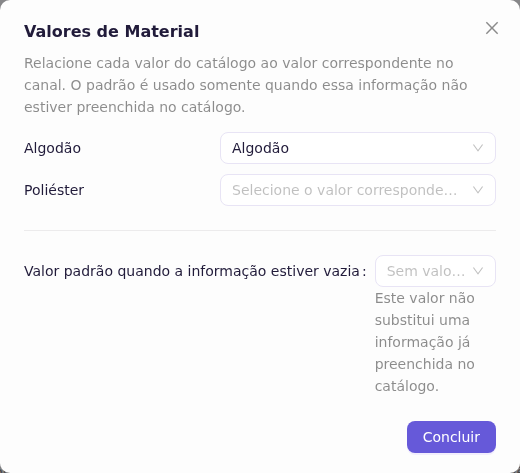
The default value is only used when the catalog information is empty. It never replaces an existing value.